The need
Keeping the budget under control is part of my job, but certainly not the most fun part, nor the easiest. After a first quarter spent obsessively checking the trainers’ travel expenses, I wondered whether there was a better way to have at hand the original estimate, the money actually spent on hotels, transport, meeting rooms, catering and shipping and, of course, the trainers’ reimbursements. All this not only to know exactly where things stood, but also to give both the client and our accounting department all the information, accurate to the cent.
How it works
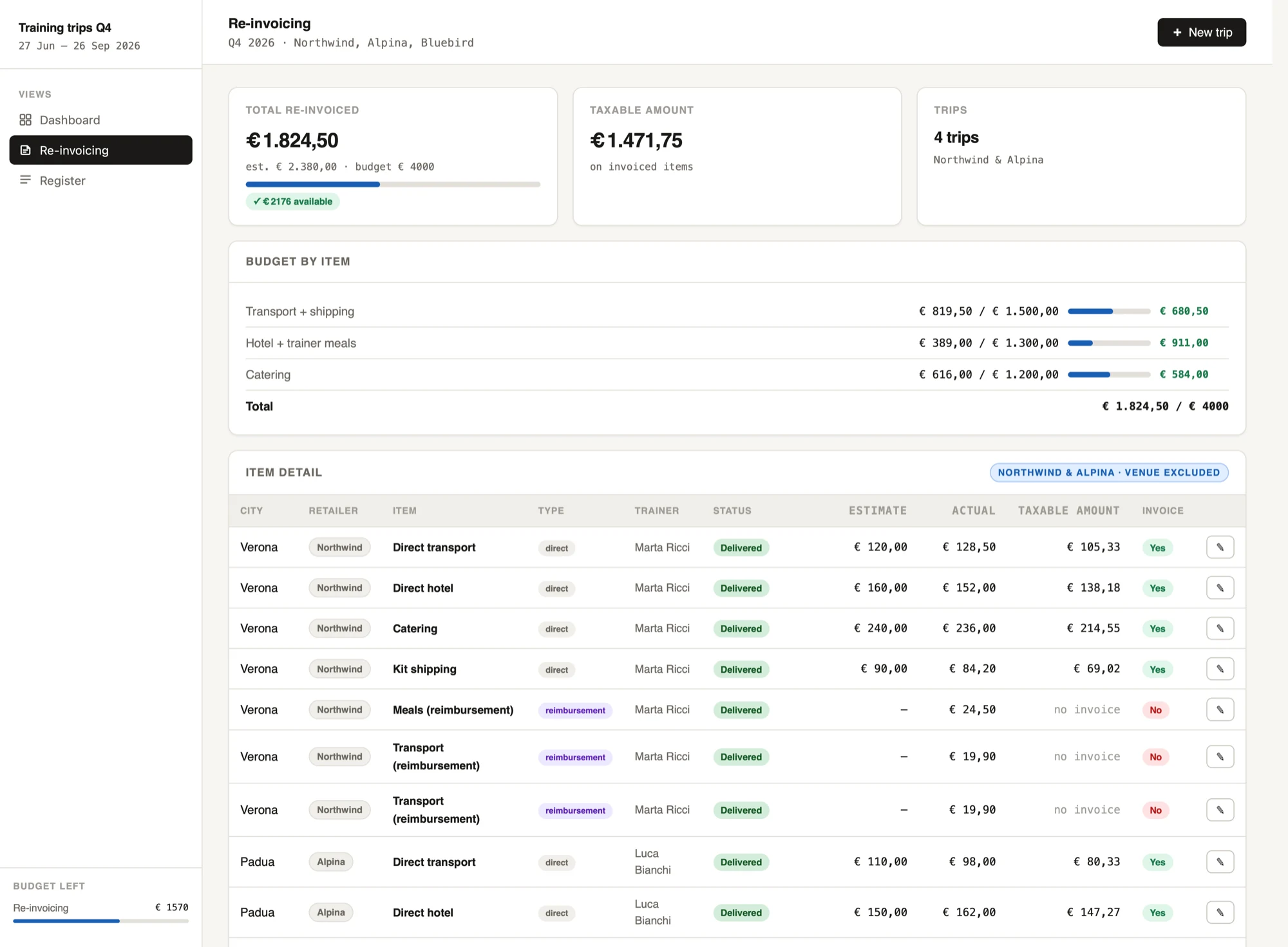
The result, born from a brainstorm with Claude, is once again a dashboard made of a single HTML file, so it is easy to open and read in any browser. Inside are the essential details of each trip, from the date to the place, and for each category (for example transport or catering) the estimate, the actual cost, the date and, if already available, the invoice.
The dashboard also lets me enter the trainers’ reimbursements easily, with the details of the expenses, and classifies them automatically: a taxi counts as transport, a restaurant goes under meals. That way I have the total, overall and per trip, split both by the categories the client needs and by the ones accounting needs.
All this information flows into an overview that helps me see at a glance what is missing and what is already in place and that, at the end of the month, lets me check whether the numbers entered in the Excel files match.
What I learned
From a technical point of view there is nothing new compared with the other HTML tools I have built with Claude, but it let me try a new approach: it saves me time, gives me very precise results and, at the same time, reassures me about the quality of my work.
The real plus of this dashboard is exactly this: it reduces my anxiety, knowing that the numbers add up and that, if I were to make mistakes, there is someone who can help me spot and fix them before it is too late.