
The need
For two years I used expense-tracking apps almost every day. The App Store is full of them, many richer in features than what I ended up building, but none of them matched the way I get paid, the way I spend and, above all, the way I keep track of my expenses. I kept adapting my habits to the app, instead of the other way round.
So, driven by curiosity to try using Claude for something more than texts and spreadsheets, I set out to build a real app.
From an idea to a working app
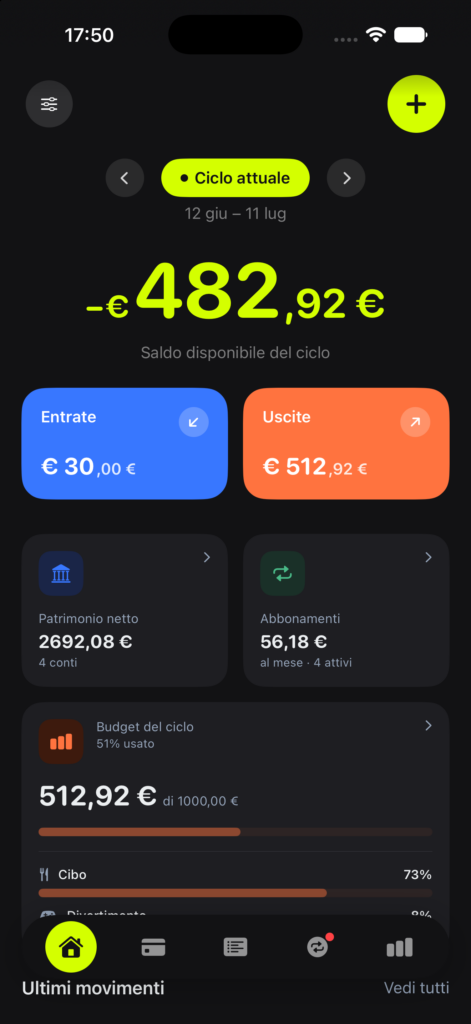
I started the way I start any project: with research. I looked at competing apps, mapped what they did well and where they fell short, and used that to decide what Flowy had to do differently. One idea stuck: track spending against your actual payday, not the calendar month. It sounds small, but it is what makes the numbers finally make sense.
Then I built it in SwiftUI, with Claude Code and Xcode: about a month of development, mostly at weekends, testing all the time on the iPhone simulator. Another month of testing followed, first on my own devices and then with beta testers on TestFlight, recruited among friends and followers. Their feedback shaped several features before launch and let me understand something fundamental: the app really worked, and during beta testing it never crashed, on any iPhone model.
What I learned
Product thinking under real constraints. Once an app lands in other people’s hands, it is normal for them to ask for features it does not have yet. Some are brilliant ideas, some do not fit the app well, and others are interesting ideas you still have to say no to. No because it is not the right time, no because the effort is too big at that stage, no because it would only serve a small niche, and so on. Saying no matters as much as saying yes.
Reading data and acting on it. Thanks to App Store Connect analytics, reviews, feedback and bug reports from real users, I learned to separate signal from noise: a dip in conversion can mean something minor, like a wider audience, or a real problem with the app listing; a bug someone hit once can be an occasional issue or a pattern worth fixing before the next release.
The other half of shipping software. App Store Connect, Xcode Cloud and TestFlight have a learning curve of their own, separate from writing code: version numbers, builds, provisioning, review guidelines, release timing. I learned all of it from scratch.
Languages and accessibility are not afterthoughts. Making an app really work in a second language, or with a screen reader, brings up details you would never think to check. Some of the most useful bug reports after launch were about accessibility.
AI as a collaborator, not a shortcut. I used different tools for different jobs: Claude Code for building and for the whole App Store submission, Claude Design for the interface, Gemini and Perplexity for the early research, ChatGPT for the first drafts of the icon. None of them replaced judgement: what to build, what to cut, which direction to take.
Where Flowy stands now
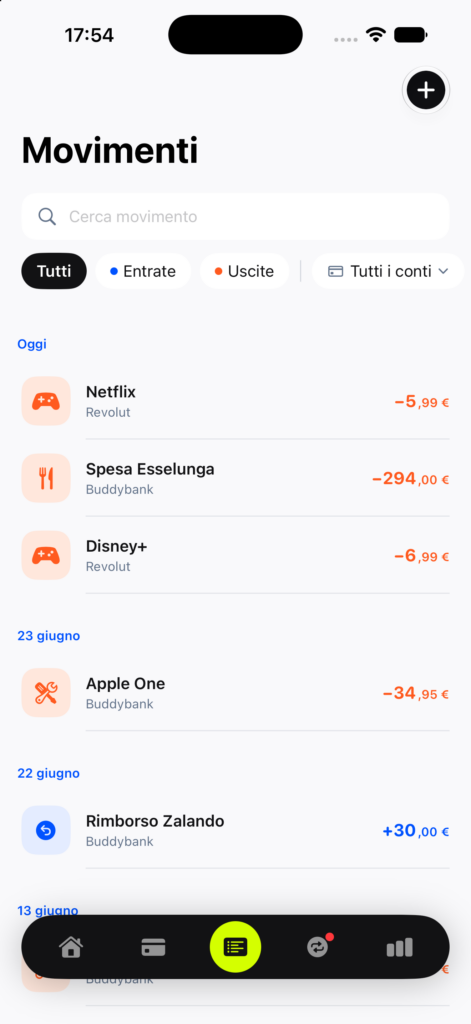
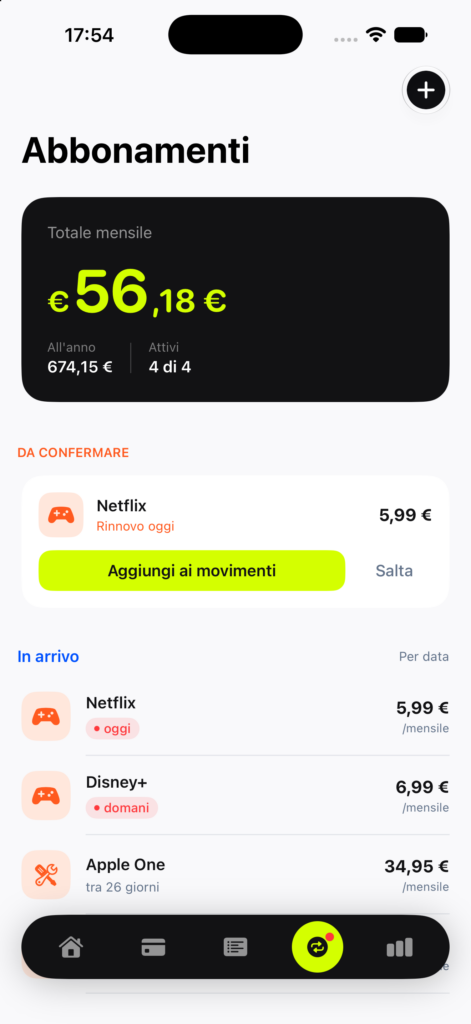
Flowy is live on the App Store: free, with no ads and no account, in Italian and English. It already has several five-star reviews, and feature requests and feedback keep coming in and shaping, a little, what comes next.
It is not a finished product, and I do not think it ever will be. But it is real software, used by real people, that I designed, built, tested and shipped. And it let me answer a real need while learning a great deal along the way.